This article is written by guest editor Zoltan Kiricsi. All materials follow a Creative Commons (CC) NC 4.0 license, with the original author attribution going to Zoltan.
This article is intended for readers who already have experience facilitating workshops. Topics have been collected in collaboration with Flóra Sarodi, Réka Bozsákovics and István Tóth.
Introduction
Working across remote teams has become standard practice, and facilitating effective online workshops is now an essential skill. This guide distills lessons we’ve learned, sometimes the hard way, from years of remote facilitation.
Choosing Your Tools
Test extensively before the workshop. Fumbling with technology in front of twenty people damages your credibility and wastes everyone’s time. Before using any tool for a live workshop, conduct a dry run of all collaborative features and build genuine familiarity with the interface.
Which tool to choose
Miro has been our default choice for complex workshops. It’s powerful and feature-rich. The downside: less tech-savvy participants struggle with the interface. If your group includes people who aren’t comfortable with digital tools, Miro’s learning curve can eat into your workshop time.
FigJam works well when you need something more straightforward. It has a cleaner interface and gentler learning curve. However, it lacks some of Miro’s advanced features.
Before the Workshop
Define clear roles
Who’s facilitating? Who’s taking notes? Who will clean up the board during breaks? Agree on who’s going to do what, exactly.
Coordinate with presenters early
If someone needs to present at the start of your workshop, be specific about:
- The exact topic they should cover
- How much time they have (and stick to it)
- What preparation is required
- File format and sharing method
Follow up a few days before the workshop to confirm they’re prepared. Don’t assume preparation happened just because someone agreed to present.
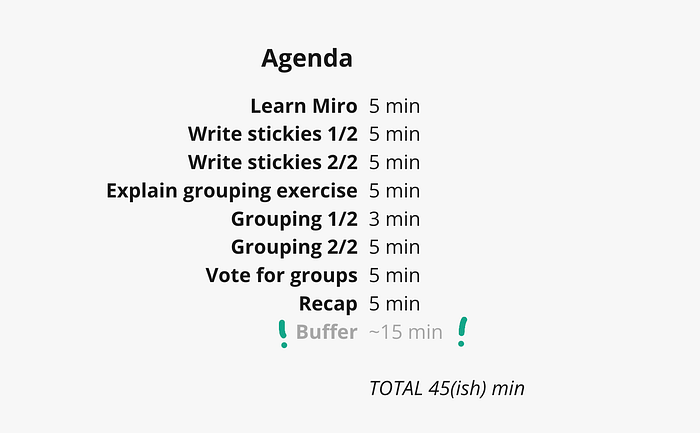
Build your agenda with 20% buffer time
Activities always take longer than you think. Split your agenda into two categories:
- Must-haves: Without these activities, the workshop fails to achieve its core purpose. These should fill no more than 80% of your available time.
- Nice-to-haves: These add value but aren’t essential. Prepare several of these as stretch activities.
This approach gives you flexibility. If things move slowly (the usual case), you won’t run over. If things move quickly (rare but it happens), you have meaningful work ready to fill the time.
Set equipment expectations
Tell participants ahead of time what they need:
- A reasonably sized screen (minimum 13 inches recommended)
- A physical mouse if possible (trackpads make detailed work difficult)
This seems obvious, but people will join from phones or tiny laptops if you don’t explicitly ask them not to.
Prepare a “who’s who” board
If participants don’t know each other well, create a section on your board with names, roles, and photos if available. This helps people put faces to names throughout the session, especially in larger workshops where not everyone will speak up.

No homework
Don’t ask participants to do any pre-workshop preparation. They won’t. This isn’t disrespect, it’s simply human nature. People are busy, and optional tasks don’t happen.
If information is truly essential, share it during the workshop or build it into an activity. If you can’t fit it into the workshop time, you’re trying to do too much.
Starting the Workshop
Account for 5-10 minutes of logistics
People will be late. Some will struggle to join the call. Others will need help opening the board. This is normal. Account for this time when planning your agenda.
Ice breakers: straightforward vs. strategic
There are two valid approaches to ice breakers:
The straightforward approach uses a simple, light-hearted activity (5-10 minutes) that helps people mentally transition from their previous meeting. The goal is just to energize the group a bit. There are plenty of great ice breaker ideas online. Keep it brief and avoid anything that feels forced or too “corporate”.
The strategic approach designs the ice breaker to serve double duty. For example:
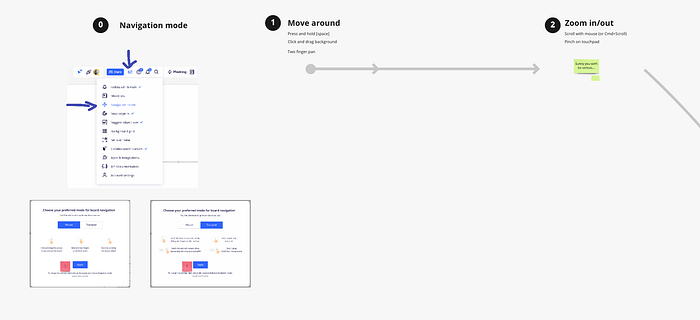
- If participants are unfamiliar with Miro, have them complete a simple task that teaches the core tools they’ll need: moving around, adding text, etc.
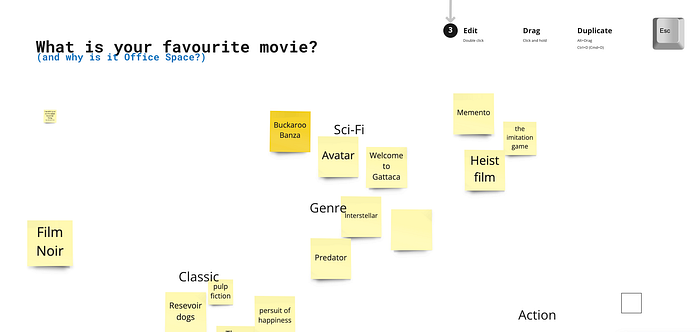
- If they’ll need do affinity mapping later, have them add favorite movies as stickies and organize by genre.
- If the team has significant hierarchy differences, choose an activity that levels the playing field, something where seniority doesn’t matter.
Pick the approach that fits your group and time constraints. When in doubt, keep it simple.
Skip the methodology lecture
Don’t explain your facilitation framework unless someone specifically asks. Participants don’t care if you’re using Double Diamond, Design Sprint, or some proprietary method. They want to get to work. The more time you spend explaining the process, the less engaged people become.
Share only the minimum information needed to participate successfully.
During the Workshop
Keep participants busy
Give people small tasks frequently. This maintains energy and prevents passive observation:
- Ask them to help clean up the board
- Have them group or separate sticky notes
- Let them convert dot votes into text numbers
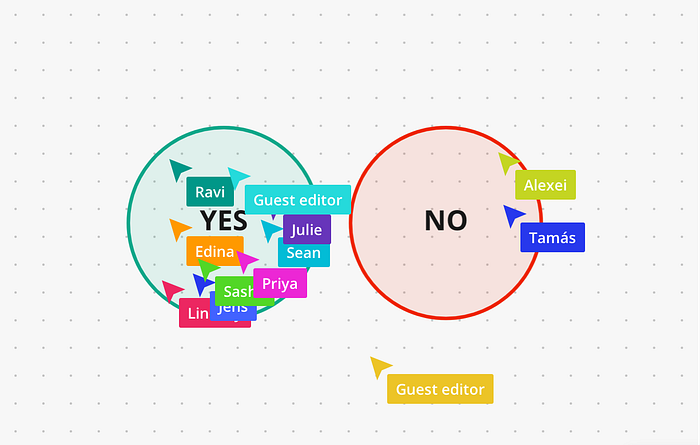
- Give them choices: “Should we start with topic A or B? Move your cursor over your preference” or “One more round of ideation before we wrap up?”
Active participation beats passive listening every time.
Build in breaks (and clearly mark when they end)
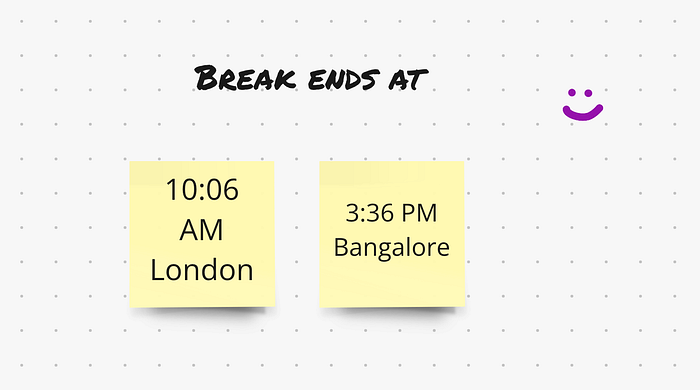
For workshops longer than 90 minutes, schedule a break. Announce the exact time when the break ends, both verbally and in writing. “We’ll take a 10-minute break and reconvene at 2:15 PM Central European Time.”
Post the return time in the chat and on the board. Remember that participants may be in different time zones. Consider starting a visible timer that counts down.
Allow more time for ideation than you think
If you want participants to sketch wireframes, budget 20 minutes even if you think it should take 10. If they’re brainstorming ideas, double your initial time estimate. Creative work expands to fill available time, and rushing people produces lower-quality output.
Record your screen, not just video
If you’re recording the session, make sure you share your screen. A recording where participants can’t see the board is nearly useless.
Forgetting to record the screen is a surprisingly easy mistake to make. Your attention is split between the agenda, the participants and five other things. I’ve made this mistake more than once.
Preventive measures: Put a physical sticky note on your monitor that says “Share screen when recording.” Add it to your facilitation notes in red. Ask the note-taker to remind you.
Change the agenda if needed
You prepared an agenda. Now be willing to change it during the workshop if circumstances warrant. The goal isn’t to follow the plan but to get to the desired outcome and use the time well. Rigid adherence to an agenda that isn’t working serves no one.
Clean up voting results as you go
After dot voting, add the vote counts as text so they’re easy to reference later. Some tools do this automatically; others don’t. If yours doesn’t, have someone (facilitator, note-taker, or participants) add the numbers before moving forward.
Ending the Workshop
Wrap up in 60 seconds maximum
Everyone is tired and mentally preparing for their next meeting so keep it short. You have 30-60 seconds of attention. Use them well:
“Over the course of this workshop, we wanted to achieve [goal]. We worked together on [activities] and arrived at [outcome]. The next step is [action]. Thank you for joining today.”
That’s it. Don’t over-explain or recap everything in detail.
Never run over, ever
Running over time signals poor planning and disrespects participants’ schedules. It’s the fastest way to ensure people leave frustrated. The peak-end rule suggests they’ll remember the workshop negatively because the end was awkward.
It’s far better to finish 10 minutes early than one minute late. Everyone appreciates a coffee break before their next meeting.

After the Workshop
Send a summary email within 24 hours
Thank everyone for participating. Briefly summarize what you accomplished and clearly state the next steps. Include:
- Link to the board. Set to “view only” first so the board is not messed up accidentally by anyone.
- Key decisions or outcomes
- Action items with owners and deadlines
- Timeline for next steps
Key takeaways
Three things matter most:
- Respect participants’ time. Never run over.
- Keep people active. Frequent small tasks maintain engagement.
- Stay flexible. Prepare thoroughly, but don’t be afraid to change plans on the spot if the situation calls for it.
Nail these three, and participants will actually want to attend your next workshop.